Best AI Laptops Under Rs 85,000 in India (2026): What's Actually Worth Buying
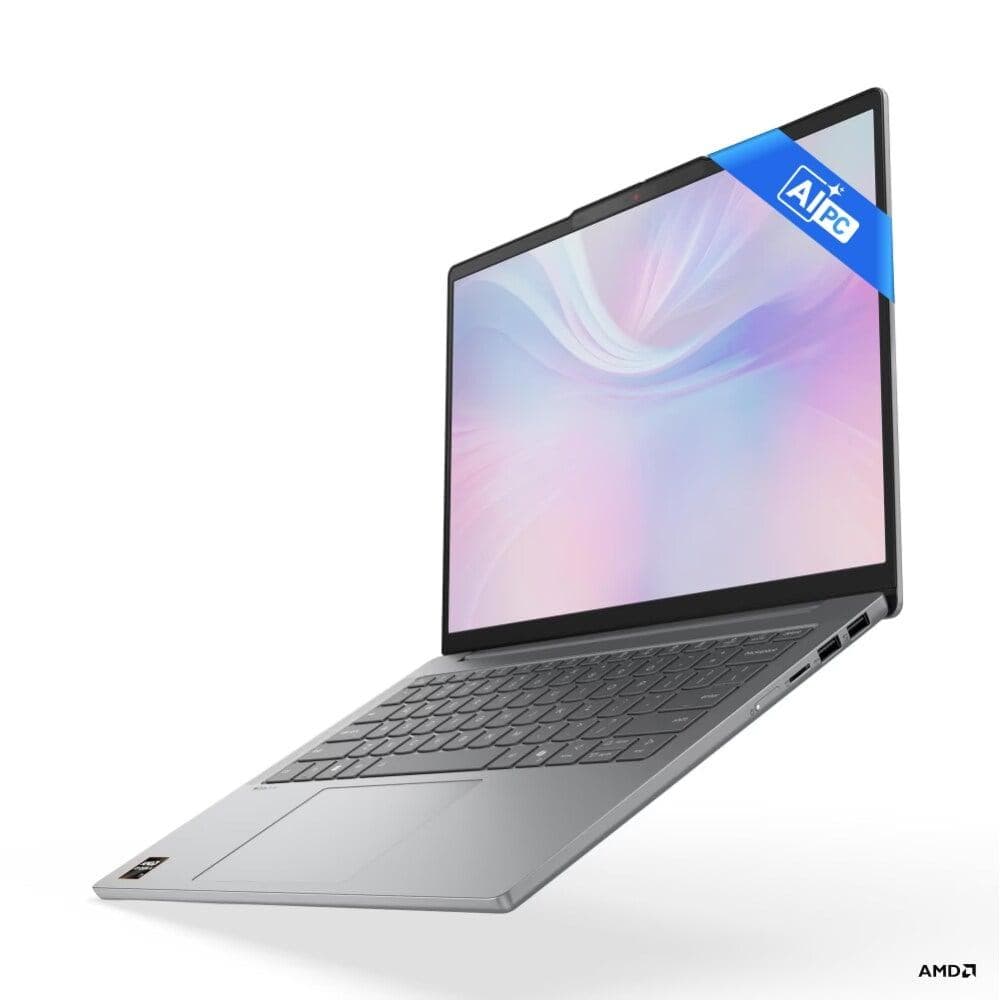
"AI laptop" gets slapped on almost every new launch now, whether it deserves it or not — here's what actually makes a laptop an AI laptop, and which ones under Rs 85,000 are worth your money in India right now.
"AI laptop" gets slapped on almost every new launch now, whether it deserves the label or not. Walk into any electronics store and you'll see the sticker on machines ranging from genuinely capable Copilot+ PCs to laptops that barely qualify. So before recommending anything, let's get clear on what actually makes a laptop an "AI laptop." Then we'll get into which ones under Rs 85,000 are worth your money.
What Actually Makes a Laptop an "AI Laptop"
The key piece of hardware is the NPU, or Neural Processing Unit: a dedicated chip built into modern processors specifically to handle AI tasks like background blur on video calls, live captions, noise cancellation, and on-device AI features. It does this without leaning on your CPU or GPU, which means less battery drain.
The number that matters here is TOPS (Tera Operations Per Second), which measures NPU performance. Microsoft has set 40+ TOPS as the threshold for a laptop to officially qualify as a "Copilot+ PC." That badge unlocks exclusive Windows AI features like Recall, Cocreator, and on-device Live Captions. Anything below that threshold can still run plenty of useful AI features, but won't carry the full Copilot+ badge or its exclusive feature set.
Three NPU platforms compete in this market right now: Intel's Core Ultra series, AMD's Ryzen AI chips, and Qualcomm's Snapdragon X series (ARM-based, used in several recent budget Copilot+ PCs). All three handle everyday AI tasks reasonably well. The real differences show up in battery life, raw CPU performance, and app compatibility — Snapdragon laptops, being ARM-based, occasionally run into compatibility quirks with niche professional software.
One thing worth setting straight: none of these laptops are meant for training AI models. NPUs are built for inference, meaning they run already-trained models efficiently. They're not built for the heavy lifting of training neural networks from scratch, which still needs a proper discrete GPU. If you're a student or hobbyist experimenting with small AI models, these machines work well. If you're doing serious machine learning research or model training, you'll want a gaming-class laptop with a discrete NVIDIA GPU instead, and a different budget tier entirely.
With that out of the way, here are the picks that make sense in the under-Rs 85,000 segment right now.
Best Overall Value: Lenovo IdeaPad Slim 5 (~Rs 85,000)
This is the standout pick in this price bracket, and it's not particularly close. The Lenovo IdeaPad Slim 5 runs on an AMD Ryzen AI 7 350 processor with a built-in NPU rated at 50 TOPS, comfortably clearing Microsoft's Copilot+ threshold. It's paired with 24GB of DDR5 RAM, an unusual amount to find on a 14-inch laptop at this price.
The 14-inch WUXGA OLED display with 100% DCI-P3 color coverage and 400 nits brightness looks excellent for the price, and the 1TB SSD means storage won't be a concern for years. It sits right at the Rs 85,000 ceiling for this bracket, but reviewers note it's frequently available at a meaningful discount off MRP, which makes the value proposition even stronger.
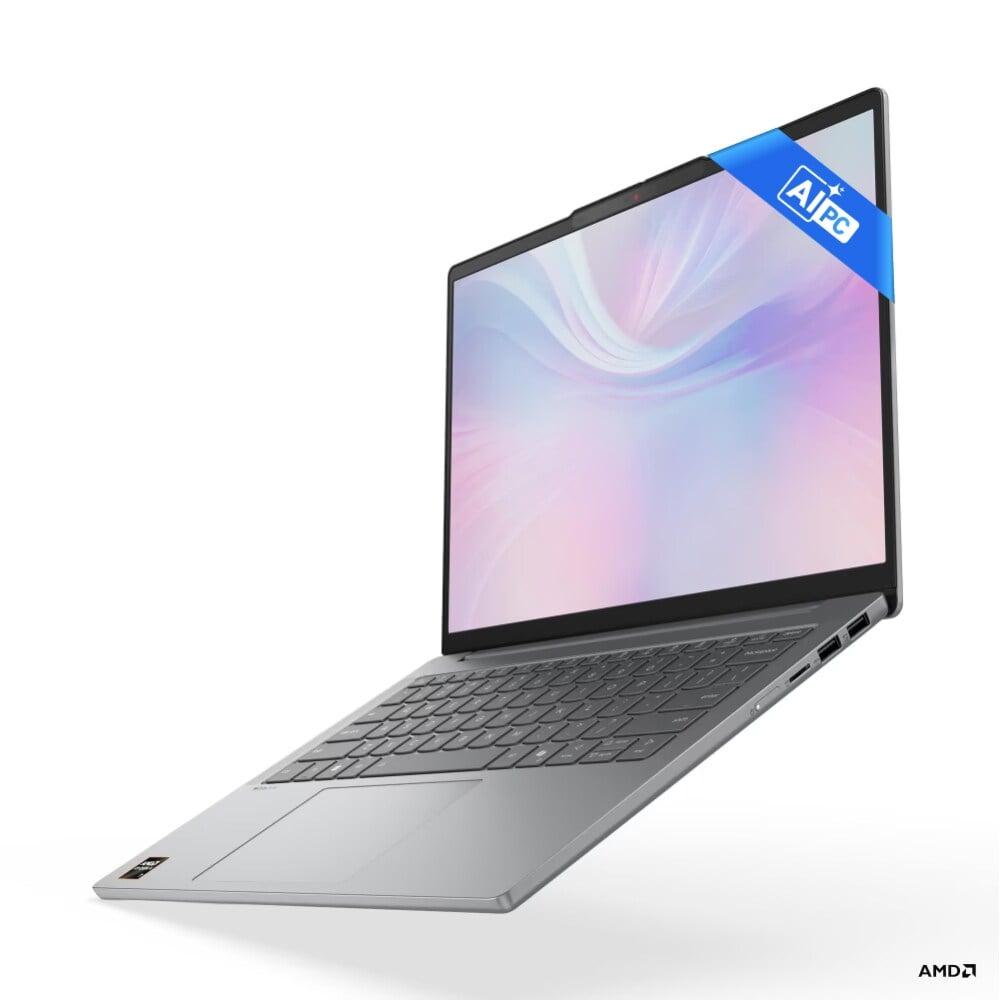
Best for: anyone who wants the most capable all-around Copilot+ PC in this budget, especially if you do any kind of multitasking, content work, or just want a laptop that won't feel underpowered in two years.
Best for Battery Life and Portability: HP OmniBook 5 OLED (~Rs 62,000)
If your priority is long battery life and a light, easy-to-carry machine, the HP OmniBook 5 OLED is hard to beat at its price. It runs on a Qualcomm Snapdragon X processor with up to 47 TOPS of NPU performance, paired with a sharp 2K OLED display with an impressively fast 0.2ms response time. That's display quality you wouldn't expect to find this far under Rs 85,000.
At just 1.35kg, it's one of the lighter machines in this category, and being ARM-based, it tends to deliver excellent battery efficiency. One thing to be aware of: most mainstream apps run fine on this Snapdragon-powered ARM laptop, but if you rely on specific niche professional software, check compatibility before buying.

Best for: students, remote workers, and anyone who lives on battery power and prioritizes screen quality and portability over raw performance.
Best for Trusted Brand Reliability: Dell 15 AI / HP 15 with Ryzen 7
If brand trust and service network matter to you (a fair concern in India, where after-sales support varies a lot by city), the Dell 15 AI and HP 15 (Ryzen 7 7735HS) are both solid, no-surprises picks.
The Dell 15 AI pairs an Intel Core Ultra 5 225H with Intel Arc graphics and even includes a dedicated Copilot key on the keyboard. The HP 15 takes a slightly different approach: it skips the NPU emphasis and instead leans on a powerful AMD Ryzen 7 7735HS (eight cores, sixteen threads, clock speeds up to 4.75GHz) paired with 16GB of RAM and Radeon 680M integrated graphics capable of light gaming and creative work.
It's a useful reminder that not every great laptop in this price range needs to chase NPU TOPS numbers. If your day-to-day work is more CPU-intensive than AI-feature-dependent, raw processing power can matter more than a Copilot+ badge.

Best for: buyers who want strong nationwide service support and a dependable daily driver, without necessarily needing the latest AI-specific features.
Best Budget Pick With a Genuine AI Backbone: ASUS Vivobook S16 (~Rs 65,000 after discounts)
For a more confident, no-second-guessing purchase, the ASUS Vivobook S16 pairs an Intel Core Ultra 5 225H with Intel Arc integrated graphics, giving it a real AI processing backbone rather than just a marketing sticker. It comes with 16GB RAM, a 512GB SSD, and a 16-inch FHD display in a clean metallic design.
Battery life is solid at 70Wh, and it ships with a year of Microsoft 365 Basic included, a small but useful bonus for students.
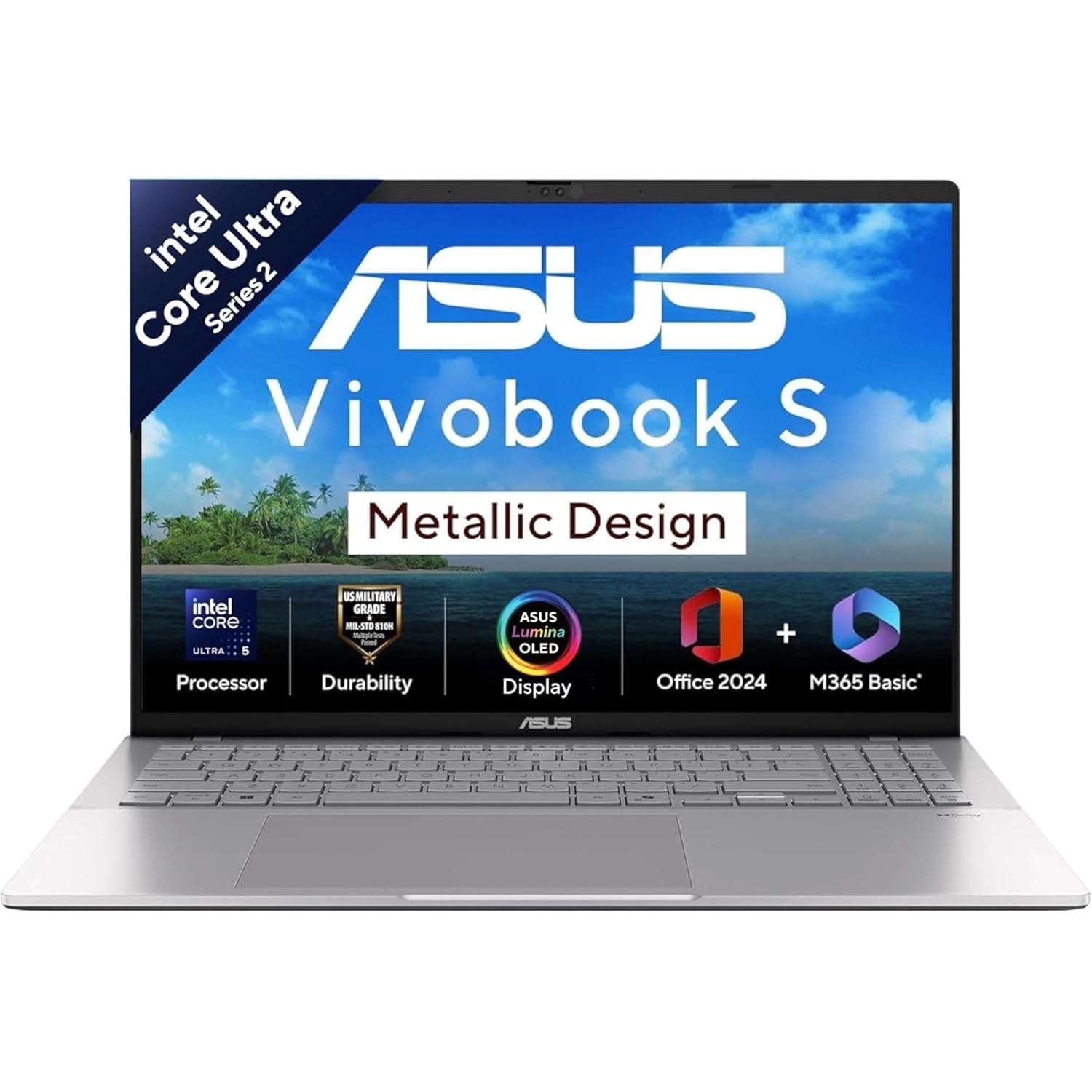
Best for: students and working professionals who want a reliable everyday machine without gaming-level demands, at a price that often comes in well under the Rs 85,000 ceiling once discounts are applied.
A Quick Word on Pricing Right Now
If you've read our earlier coverage on the memory and chip price crisis affecting laptops and phones across India this year, keep it in mind while shopping in this category specifically. Several of the laptops above are currently available at meaningful discounts off their MRP. But memory and storage costs keep climbing through the rest of 2026, and those discounts may not last. If a configuration you want is in budget right now, there's a reasonable case for buying sooner rather than waiting for a better deal later in the year.
The Bottom Line
For most buyers in this segment, the Lenovo IdeaPad Slim 5 is the easiest overall recommendation. It gives you a genuine 50 TOPS Copilot+ experience, excellent display quality, and an unusually generous 24GB of RAM, all near the top of this budget. If portability and battery life matter more to you than raw specs, the HP OmniBook 5 OLED is the better pick. And if you'd rather have brand-name service reliability than the newest AI features, the Dell 15 AI or HP 15 Ryzen 7 won't let you down.
Whichever you choose, remember the core rule: match the laptop to what you'll actually do with it. An NPU is useful for everyday AI-assisted tasks, but it's not a substitute for a GPU if your goal is serious model training. And it's not something to chase for its own sake if your daily work doesn't touch AI features at all.
Already own one of these, or considering a different model in this price range? Let us know in the comments. We're tracking pricing on this segment closely as the year goes on.
Related News

Galaxy M47 vs OnePlus N6 vs Oppo Reno 16: Which New Launch Should You Actually Buy?
Samsung's Galaxy M47, OnePlus's N6, and Oppo's Reno 16 series are all launching within days of each other across three very different price brackets — here's how they actually compare, and which one is worth your money.


