Siri AI Is Out in iOS 27, But Installing the Update Doesn't Actually Get You Siri AI
iOS 27 shipped September 14 with Siri AI, Apple's biggest rebuild of its assistant yet. Installing the update doesn't actually get you Siri AI, though: it gets you a waitlist, and only on an iPhone 15 Pro or newer, outside the EU and China.
iOS 27 shipped September 14, alongside iPadOS 27, macOS 27, watchOS 27, and visionOS 27, and it carries the biggest rebuild of Siri Apple has ever shipped. We already covered the developer beta of this on the review side, running on an iPhone 14 Plus; the eligibility bar has tightened since then, and the public release requires an iPhone 15 Pro or newer. This is the actual public release, and the most important thing about it isn't a feature. It's a catch buried past the headline.
Updating to iOS 27 doesn't turn on Siri AI. It gets you a waitlist.
What You Actually Need Before You Can Even Join the Line
Siri AI requires an iPhone 15 Pro or newer, a device language set to English, and being outside the EU and China. Meet all three, and updating to iOS 27 gives you the option to join a waitlist. It doesn't give you the feature itself. Apple says you'll be notified when it's your turn, with dynamic wait-time estimates that shift based on demand and available capacity.
During the beta, some people waited up to a week. Early reports since yesterday's public launch suggest much shorter waits for many users, sometimes just minutes, but there's no guarantee which end of that range you'll land on, and Apple hasn't published a fixed timeline.
The EU exclusion is regulatory, tied to the Digital Markets Act's interoperability requirements. China is pending local regulatory review, which has no announced end date either. If you're in either place, iOS 27 installs fine; Siri AI just isn't part of it yet.
What You're Actually Waiting For
Once it's live on your device, the two features Apple is leading with are Personal Context and On-Screen Awareness.
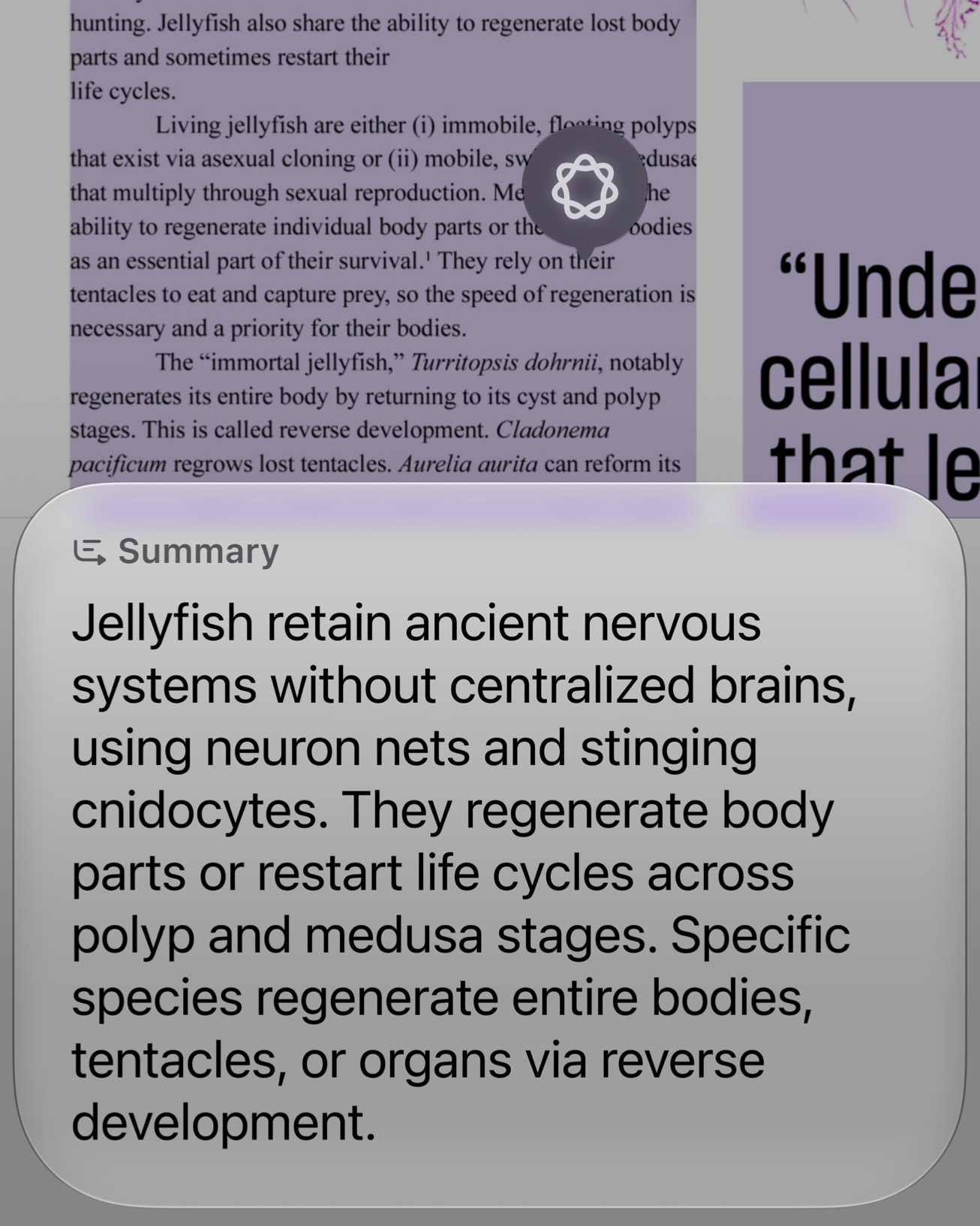
Personal Context means Siri can search across your Messages, emails, and photos to answer something you'd otherwise have to dig for yourself, like finding a restaurant a friend mentioned three weeks ago in a chat thread. On-Screen Awareness means Siri can see what's actually on your screen right now and act on it: summarizing an article you're mid-way through, or replying to a message with context pulled from what's visible, without you switching apps to look anything up first.
Apple's own framing calls this a move toward a "profoundly more capable and conversational assistant," and to be fair to that claim, both features target a real, specific frustration with the old Siri: it couldn't see what you were doing or remember what you'd told it five minutes earlier in a different app. Whether the execution holds up under daily use outside a keynote demo is the part that still needs independent testing.
There's Now a Dedicated Siri App
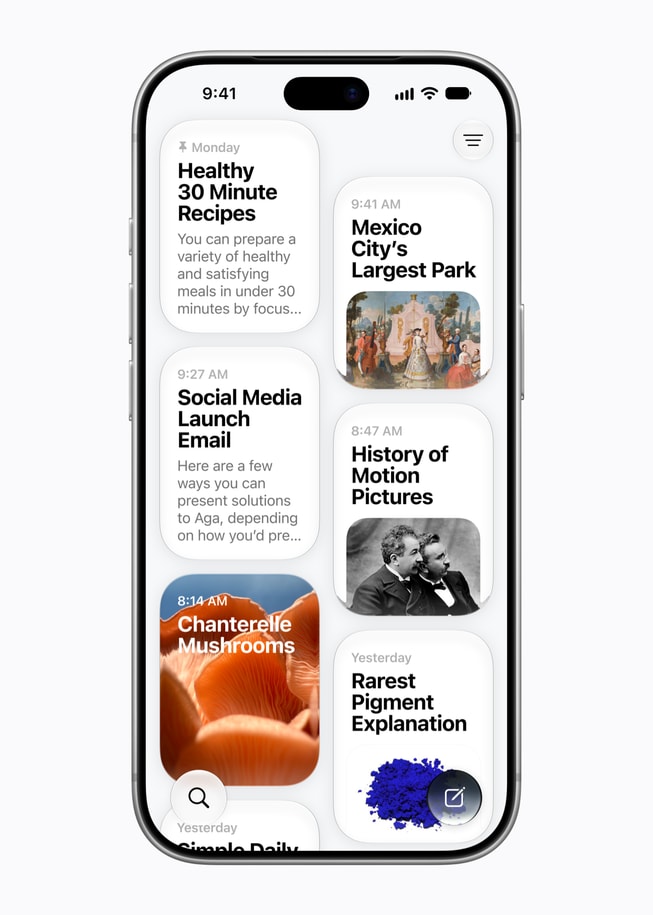
Conversations with Siri AI live in their own app now, with a visible history you can scroll back through, similar in spirit to how ChatGPT or Claude keep a running conversation log rather than starting fresh every time. That's a genuinely different model from the old Siri, which never remembered a conversation existed once you closed it.
Systemwide Actions Are the Less Flashy, More Useful Part
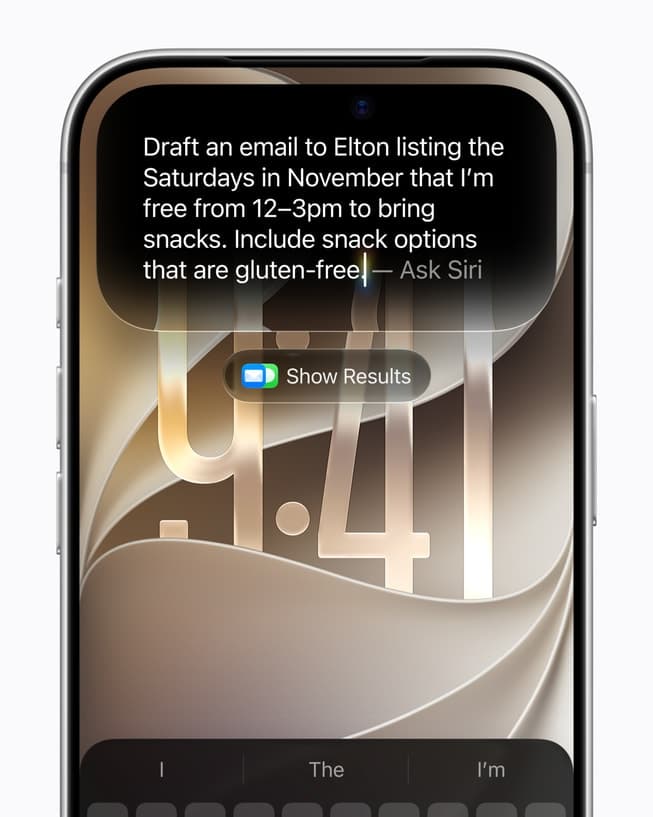
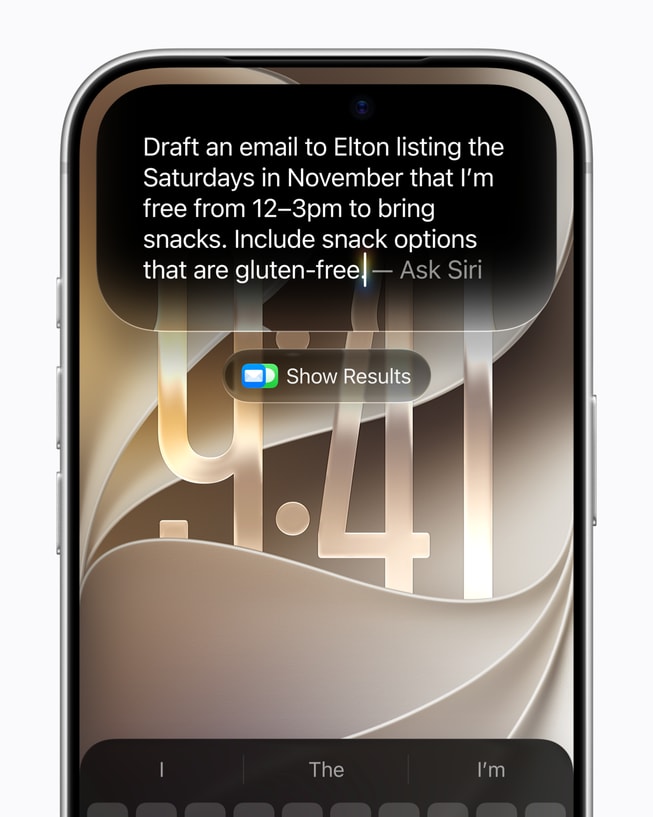
Apple is also pushing what it calls systemwide app actions: Siri AI can hand off a task across apps you already use, rather than just answering a question and stopping there. The demo Apple showed was mundane on purpose: asking Siri to find a free Saturday afternoon, draft an email about it, and list gluten-free snack options, all in one request, without opening Calendar, Mail, and a search engine separately. Visual Intelligence, a related feature rolling out alongside it, lets the camera or a screenshot answer questions about whatever's actually in frame, on iPhone, iPad, Mac, and Vision Pro alike.
None of this is a new idea in isolation. Other assistants have chased "do a multi-step task across apps" for a while now, with mixed real-world results. What's different here is that Apple controls the entire stack these apps run on, which is exactly the kind of advantage that either makes this work far more reliably than a third-party assistant ever could, or turns into another feature that looks great in a demo and falls apart the moment a request doesn't match the script.
This Rolled Out Everywhere at Once, Which Is Unusual for Apple
iOS 27, iPadOS 27, macOS 27, watchOS 27, visionOS 27, and tvOS 27 all picked up these Apple Intelligence features on the same day. Apple has historically staggered platform updates by weeks; shipping the whole lineup together suggests the company wanted Siri AI to feel like one consistent assistant across every device from day one, rather than a phone-first feature that trickles down later.
Who Should Actually Update Today
If you don't have an iPhone 15 Pro or newer, updating to iOS 27 still gets you the rest of the release, just not Siri AI, so there's no reason to wait. If you do qualify, install it and join the waitlist immediately regardless of how long the queue looks right now, since your position is set by when you join, not when Apple happens to notice you. And if you're outside the eligible countries, nothing about installing today changes your timeline. That decision was made in Brussels and Beijing, not on your device.
Are you in the Siri AI waitlist yet? Tell us how long yours actually took once it went live, since Apple's own estimates seem to be shifting by the hour.
Related News

The RAM Crisis of 2026: Why Every Laptop and Phone in India Is Quietly Getting More Expensive (Or Worse)
DRAM contract prices have surged by up to 98% in a single quarter as AI data centers consume the world's memory supply, and the fallout is already hitting laptop and smartphone prices across India — through outright hikes and, in some cases, quiet RAM downgrades.